Game guides
Paper Flight — Play a Paper Plane Browser Game
Learn to launch, climb and glide in the Paper Flight preview. Start a flight in your browser with no download.
Preview
Play now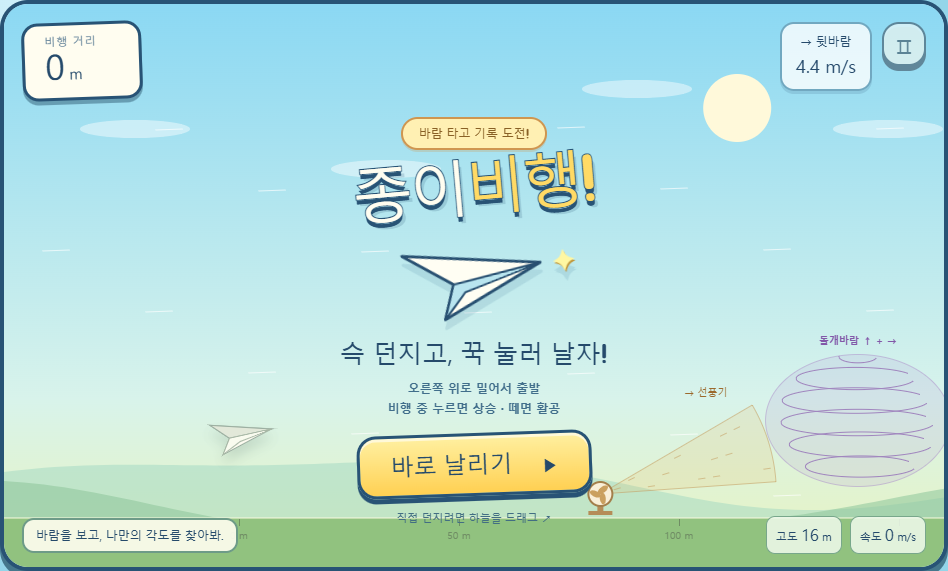
About the preview
Launch a paper plane and use the wind to travel farther. The game is a preview available in Korean, English and Japanese; its design and rules may change.
Launch and glide
Swipe up and right or use the launch button. Hold during flight to raise the nose, then release to glide. On a keyboard, press Enter to launch and Space to raise the nose.
Read the wind
Orange fans accelerate the plane. Mint updrafts add height, while purple whirlwinds affect both height and speed. Watch your speed rather than holding continuously.
Try another flight
Retry the same wind with a different angle or timing, or choose new wind. Your personal best stays in the same browser and may be lost when you clear site data.
Angle and speed
Try a gentle launch around 20–35 degrees. A steep launch loses speed quickly; a low launch reaches the ground sooner. Release and glide to recover speed when the wings shake.
Flight history and sharing
Open BEST to see the last 20 flights. Share a challenge link from the game so a friend can try the same wind. These are personal browser records, not a public leaderboard.
Pause and resume
Use the pause button or P during flight. The on-screen lift button also raises the nose while held; releasing it lets the plane glide.